RBF wireless range extender

Roombanker
Wireless Repeater

Extend your security system’s reach.

Connect RBF devices farther from your hub with a dedicated wireless relay point. Plan coverage across floors and separate spaces, with configuration and status checks in RB Link.

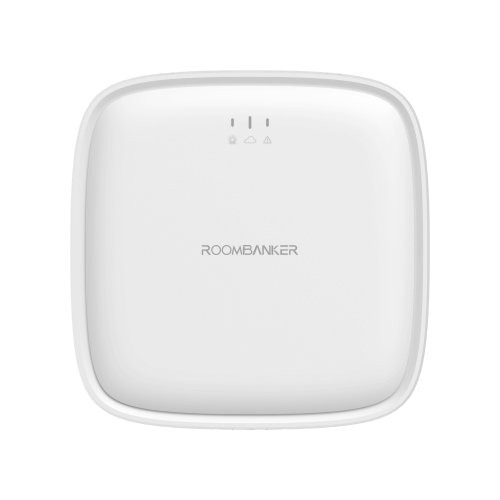
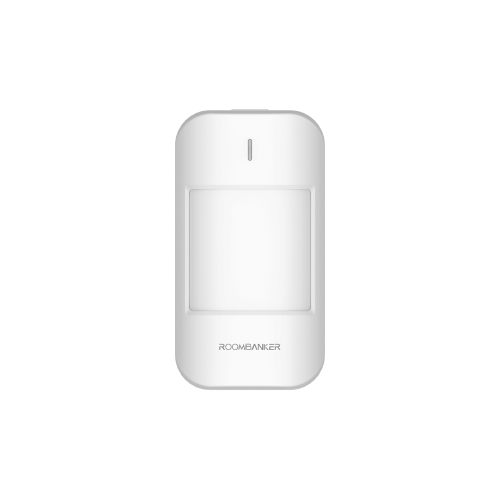
Roombanker Wireless Repeater with white rounded enclosure and front indicators
A relay point for your RBF devices
2,500 m

Up to, in open space
with hub / devices

128

Wireless peripheral
capacity

40 hours

Calculated backup
battery life

Two-way

RBF communication
with hub & devices

More room for protection

When your security plan needs to reach further.

Adding devices on another floor or in a separate building? A repeater gives distant RBF devices a relay point back to your hub, so you can plan around the spaces that need protection.

Across multiple floors

Extend RBF connectivity to devices on other levels of an office building.

Between buildings

Connect devices in a separate structure to your existing security hub.

Over larger workspaces

Plan coverage for RBF devices across production areas and extended premises.

Application illustrations are conceptual. Actual range depends on the building, obstacles and installation conditions; test the signal at each location.

Expand your offering with RBF range extension.

Discuss the Wireless Repeater for your distribution portfolio, installation projects or integrated security solutions.

Discuss Your Business Requirements ↗

How it connects

Extend your Roombanker system.

Connect compatible Roombanker RBF peripherals to a Roombanker Security Hub through the repeater.

Roombanker
Security Hub
RBF
Roombanker
Wireless Repeater
RBF
Roombanker
RBF peripherals
Two-way RBF communication · Connection schematic, not a coverage map

Extend your existing system

Keep your Roombanker Security Hub at the centre of the installation while extending the reach of its RBF peripherals. Manage the repeater in the same RB Link app.

Choose which peripherals use the repeater

In RB Link, select compatible Roombanker RBF peripherals already registered with the hub and associate them with the repeater. You decide which peripherals use the relay connection.

Built-in backup power

Backup power for your repeater.

The repeater’s built-in battery provides backup power when its external supply is disconnected.

2,500 mAh

Li-ion backup battery

USB Type-C

5 V / 2 A power input

40 hours

Calculated backup battery life

The specification lists a calculated value. Actual backup duration varies with operating conditions and battery condition.

Know when the battery is low

Check battery status in RB Link and receive a malfunction notification when the battery is low.

Monitor tamper events

With the backplate fitted and tamper detection enabled, a triggered tamper switch raises an alarm while the hub is armed.

Official RB Link Repeater status screen showing power supply, battery, lid, signal and connection status
RB Link · Official app screen
Displayed values are an example.

Control with RB Link

Keep everyday checks in one familiar app.

From checking power to identifying a device on site, RB Link brings repeater management into your existing security workflow.

One view of device health

Check external power, battery, lid, signal strength and online status.

Test before you install

Use the Signal Strength Test to evaluate the connection to your hub at the proposed location.

Find the right repeater

Activate Find Me to make its indicator flash green and identify the device.

Keep firmware up to date

Install available firmware updates through the app when the hub is connected to the internet.

Explore repeater settings in the manual ↗

From pairing to placement

Connect. Check. Extend.

Use RB Link to add the repeater and test its connection. Follow the quick start guide for wall mounting or desktop placement.

01 / ADD TO YOUR HUB

Power up and pair

Open your hub in RB Link, choose “Add peripheral” and power up the repeater. Assign a room to finish adding.

02 / CHECK THE LOCATION

Look for a strong signal

Test the signal to your hub at the proposed location. Use the app and LED feedback below to choose the position before mounting.

03 / ASSOCIATE DEVICES

Extend their connection

Choose hub-connected devices in “Associated sub-device”. Associate them with the repeater and verify their connections before completing installation.

Let the indicator guide you.

LED feedback during the Signal Strength Test

Flashing green

Strong signal.
Recommended location.

Flashing orange

Medium signal.
Installation is possible.

Flashing red

Poor or no signal.
Choose another location.

Technical specifications

Small footprint.
Extended reach.

Choose the regional frequency version that matches your Roombanker installation.

Front view of the Wireless Repeater

150 × 150 × 37 mm · 314 g

Open full product specification ↗
Wireless & capacity

Communication
Two-way RBF wireless
Wireless range
Up to 2,500 m in open space with hub / devices
Peripheral capacity
128
Transmission Frequency
868 MHz / 915 MHz (RBF)
Compatibility
Roombanker Security Hubs and RBF repeaters

Power

External power
USB Type-C, 5 V / 2 A
Backup battery
2,500 mAh Li-ion
Calculated backup life
40 hours
Nominal / operating voltage
3.7 V / 3.5–4.2 V
Quiescent / maximum current
38 mA / 87 mA at nominal voltage

Physical & environment

Dimensions / weight
150 × 150 × 37 mm / 314 g
Operating temperature
−10 °C to +45 °C

Frequently asked questions

Before you choose your repeater.

Review the essentials for product selection, installation planning and system integration.

No. The Wireless Repeater extends communication between Roombanker RBF devices and the security hub. It does not extend your home Wi-Fi network.

No. This is the specified maximum wireless range in open space with the hub or devices. Walls, floors and installation conditions affect range. Use the Signal Strength Test to confirm a suitable location.

An offline repeater is not functional. Disabling the repeater also stops its associated sub-devices from working. Check the repeater and associated device status before relying on the installation.

The manual states that associated devices require re-registration after the repeater is deleted. Devices placed too far from the hub may appear offline, so plan and verify their connections after making changes.

Fit the repeater with its backplate and enable tamper detection in RB Link. A triggered tamper switch raises an alarm while the hub is armed.

For distributors, installers & integrators

Bring extended coverage
to your next project.

Discuss the Wireless Repeater for your product portfolio or client projects. Contact Roombanker about regional models, system compatibility and purchasing requirements.

  • Your businessDistribution, installation or system integration
  • Your needsProduct selection, hub models and estimated quantities
  • Your marketTarget country and procurement or project timeline

Let’s discuss your requirements.

Tell our team about your business, target market and product or project requirements.

Contact Our Sales Team Review specifications first ↑
Scroll to Top
Contact Us

    This site is protected by reCAPTCHA and the Google Privacy Policy and Terms of Service apply.